If your WooCommerce store has reached the point where WooCommerce too many variations is no longer just a warning message but an everyday reality, you have likely already felt the consequences. Product edit screens take thirty seconds to load. Your server monitor shows database queries spiking every time a customer opens a product page. The WooCommerce admin becomes progressively more difficult to work with as the product catalog grows.
This is not a hosting problem. It is a fundamental architectural limitation of how WooCommerce handles product variations. Understanding why it happens — and what actually causes it — is the first step toward fixing it.
What Are WooCommerce Variations?
A WooCommerce variation is an individual purchasable combination of a product's attributes. Create a variable product with a Size attribute (Small, Medium, Large) and a Color attribute (Red, Blue), and WooCommerce generates six variation records — one per combination: Small/Red, Small/Blue, Medium/Red, Medium/Blue, Large/Red, Large/Blue.
Each variation is stored as a separate post in the wp_posts table with a post type of product_variation. Alongside it, WooCommerce writes rows to wp_postmeta to store the variation's price, SKU, stock status, weight, dimensions, and attribute values — typically eight to twelve metadata rows per variation.
This architecture makes sense when products have a handful of simple options. It starts breaking down once attribute combinations multiply beyond what the system was designed for.
Why Too Many WooCommerce Variations Slow Down Your Store
The performance problems introduced by variation bloat operate at three levels simultaneously: the database, the WordPress admin, and the customer-facing product page.
Database Overhead
The wp_posts table is not designed as a high-volume variation store. A single product with five hundred variations contributes five hundred post rows and potentially four thousand or more rows to wp_postmeta. Multiply that across fifty products and you have twenty-five thousand variation records and two hundred thousand metadata rows — all queried together whenever WooCommerce needs to load product data.
WooCommerce retrieves all variations for a product in a single query when the product page loads. As the dataset grows, query time increases. On a shared hosting environment, queries that should take milliseconds can stretch to several seconds.
Admin Interface Degradation
The WooCommerce product editor loads all variation data into memory when you open it. With more than fifty variations, the Variations tab takes noticeably longer to render. Beyond one hundred and fifty variations, WooCommerce switches to a paginated view with twenty variations per page, making bulk editing slow and tedious.
Saving a high-variation product triggers a wave of database writes. Re-generating hundreds of variations from the admin screen can time out entirely on underpowered servers.
Frontend Performance Impact
WooCommerce ships all variation data to the browser as a JSON object embedded in the product page HTML. This payload includes pricing, stock status, and attribute combinations for every single variation. For a product with a thousand variations, this JSON blob can exceed two hundred kilobytes of inline data — before any assets or page content are included.
This slows initial page load, increases time-to-interactive, and penalises Core Web Vitals scores. Customers on mobile connections feel this most acutely.
WooCommerce Variation Performance by Scale
The impact of variation bloat is not linear — it accelerates as counts grow. The table below shows typical behaviour at different scales on standard managed WordPress hosting.
| Variation Count | Admin Experience | Frontend Impact | Database Load |
|---|---|---|---|
| 1 – 30 | Normal. Variations tab loads instantly. | Minimal. JSON payload is small. | Negligible. Standard WooCommerce queries. |
| 30 – 100 | Slight lag when saving. Still usable. | Noticeable page weight increase from variation JSON. | Low but measurable. Query time grows. |
| 100 – 500 | WooCommerce paginates variations. Editing becomes slow and frustrating. | 50–150 KB of variation JSON. Product pages feel sluggish on mobile. | Moderate. wp_postmeta appears in slow query logs. |
| 500 – 1,000 | Admin edits can time out. Bulk price updates become a chore. | 150–250 KB of variation JSON. Measurable LCP and TBT degradation. | High. wp_posts row count climbs rapidly. |
| 1,000+ | Admin is largely non-functional without custom tooling. | Pages may fail to load or take 10+ seconds on standard hosting. | Critical. Tens of thousands of rows per product. Full-table scans on postmeta. |
A Real-World Example: How Variation Counts Explode
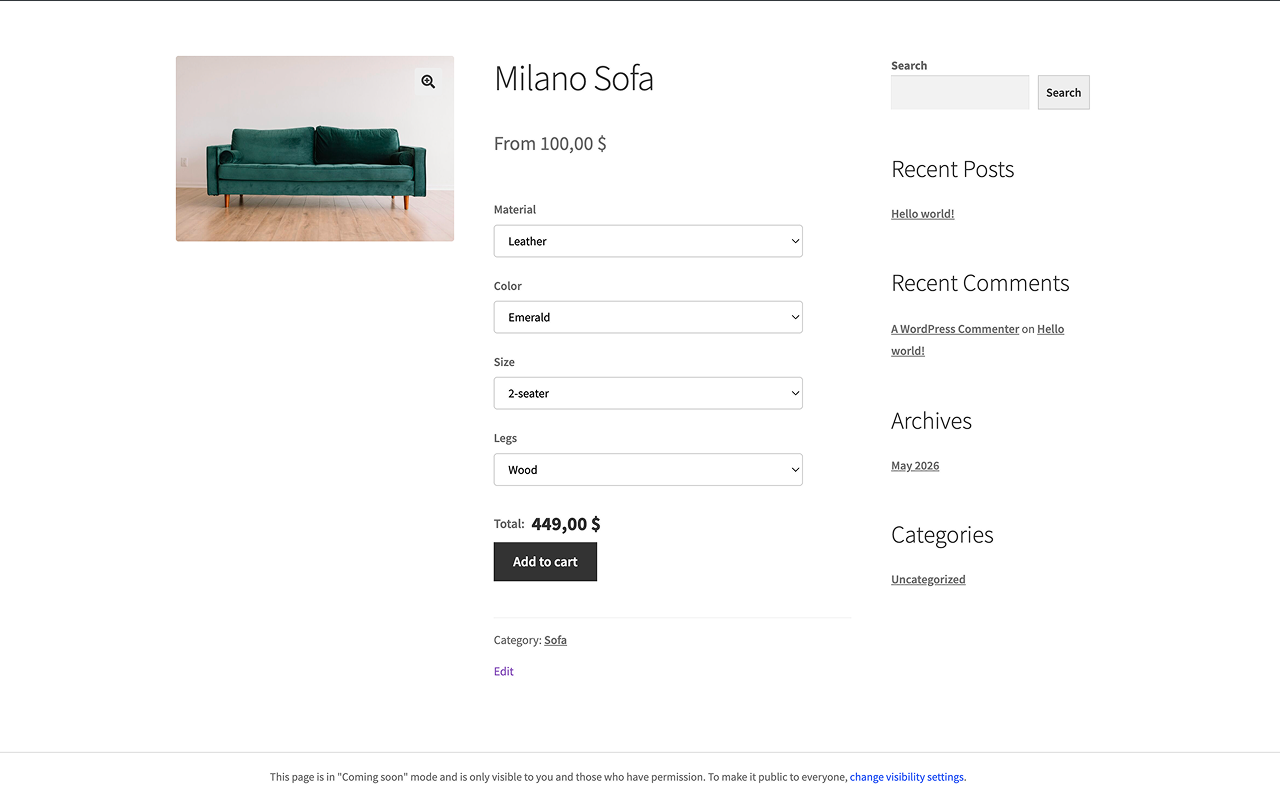
Consider a furniture store selling a configurable chair. The product has the following attributes:
- Material: Fabric, Leather, Velvet, Mesh (4 options)
- Colour: Black, White, Grey, Beige, Navy (5 options)
- Size: Standard, Wide, Compact (3 options)
- Leg finish: Chrome, Black powder coat, Natural oak (3 options)
- Armrest style: Fixed, Adjustable, None (3 options)
4 × 5 × 3 × 3 × 3 = 540 variations per product. That is for a single chair model. A catalog of twenty similar models produces 10,800 variation records — plus approximately 86,400 rows in wp_postmeta to store their data.
When a customer opens any of those product pages, WooCommerce queries and serialises all 540 variations into the page. The database is hit on every product page load, regardless of whether the customer changes a single attribute.
This is a modest example. Stores in apparel, print-on-demand, or configurable manufacturing regularly reach much higher counts once design options, finishes, packaging types, or custom text fields are added to the mix.
Common Attempts to Fix WooCommerce Variable Product Performance
Developers and store owners facing WooCommerce variable product slow issues typically reach for one of several standard remedies. Each addresses a symptom but leaves the root cause intact.
Caching
Page and object caching reduce database queries for repeat visitors and work well for the homepage, category pages, and static content. A variation-heavy product page with dynamic stock data often cannot be fully cached, however — and caching does nothing for the admin screen, where variation data must always be loaded fresh.
Server Upgrades
Moving to higher-tier hosting temporarily reduces query times. But the data volume keeps growing as you add products and attributes. A faster server cannot outpace the problem's growth rate. Within months, the performance ceiling reappears at a higher cost.
Splitting Products
Some stores split a configurable product into multiple simpler products to keep per-product variation counts manageable. A chair becomes eight separate products — one per material — each with colour and size options only. This reduces variation counts per product but multiplies the number of products to maintain. Price updates, descriptions, and image changes must now be applied across eight products instead of one.
Variation Optimisation Plugins
Several plugins lazy-load variation data via AJAX instead of embedding it in the page HTML. This genuinely improves initial page load times and is worth doing as a short-term measure. But it does not reduce the number of variation records in the database — it only defers when the large dataset transfers from server to browser. The database overhead, admin sluggishness, and underlying data model all remain unchanged.
Why WooCommerce Variations Were Not Built to Scale This Way
WooCommerce's variation system was designed for products with genuinely distinct physical combinations: a t-shirt in three sizes and four colours where each combination needs its own SKU, stock count, and potentially its own image. For that use case, the architecture is appropriate.
The problem emerges when variations are used to handle WooCommerce large variable products where the only real difference between combinations is price. In those cases, thousands of database records are being created simply to store price modifiers — not because each combination represents a genuinely distinct item.
The Combinatorial Explosion
WooCommerce's own warning at 50 variations exists for a reason. Variation counts do not grow additively — they grow multiplicatively. Adding a fourth attribute with three values to a product that already has three attributes does not add a few records. It multiplies the existing count by three.
A product with four attributes of four values each produces 4 × 4 × 4 × 4 = 256 variations. Add one more attribute with four values: 1,024. Add another: 4,096. Each additional attribute is a multiplication, never an addition.
The Postmeta Table as a Bottleneck
WordPress's wp_postmeta table is a key-value store optimised for flexibility, not high-volume relational queries. WooCommerce stores each piece of variation data — price, sale price, SKU, stock status, stock quantity, weight, dimensions, and each attribute value — as a separate row. For a product with 500 variations and ten metadata keys per variation, that is 5,000 rows in wp_postmeta for a single product.
As the table grows into the millions of rows — common in large catalogs — query performance degrades significantly even with proper indexing. WooCommerce performs a joined query across wp_posts and wp_postmeta to load variation data, and this join becomes progressively more expensive as both tables grow.
An Alternative Model: Attribute-Based Pricing
The insight that resolves WooCommerce variation performance problems at their root is recognising that most attribute-based pricing does not actually require a record per combination. It requires a rule per attribute value.
For the chair example: the final price of any configuration is the base price plus a modifier for each selected attribute. Leather adds $300, Wide size adds $40, Oak legs add $60, Adjustable armrests add $30. The total is base + $430. None of that logic requires 540 database records — it requires four pricing rules, one per relevant attribute value.
This approach — commonly called attribute-based or rule-based pricing — keeps data volume linear. The total number of records equals the sum of unique attribute values, not their product. Adding a new attribute with four values adds four records. Adding a new product that uses the same pricing logic adds zero new records.
The practical difference at scale is significant. A variation-based approach for twenty chair models requires 10,800 database records. A rule-based approach for the same catalog requires 18 records — one per unique attribute value — shared across all twenty products.

WooCommerce does not offer this model natively. It is available through WooCommerce alternatives to variations, ranging from custom development using WooCommerce pricing hooks to purpose-built solutions that implement attribute pricing without writing per-combination records to the database. When evaluating these options, the key question is whether the solution eliminates variation records entirely or layers a different interface on top of the same underlying data structure.
Conclusion
WooCommerce too many variations is not primarily a hosting or caching problem. It is a data model problem. The variation system stores one record per attribute combination, and combinations grow multiplicatively as attributes are added. The result is database bloat, a slow admin interface, and increasingly heavy product pages that degrade further as the catalog expands.
Standard mitigations — better caching, faster servers, product splitting, lazy-loading plugins — reduce visible symptoms without changing the underlying cause. They buy time, but none resolves the core mismatch between combinatorial variation storage and the needs of a catalog built around flexible, attribute-driven pricing.
If your store's pricing complexity comes from attribute selections rather than genuinely distinct physical products, it is worth questioning whether the WooCommerce variation model is the right tool. An approach that stores one pricing rule per attribute value — rather than one record per combination — keeps the database lean, performance stable, and catalog management tractable regardless of how many attributes a product carries.